Windows 11 is finally adding per-app microphone, camera and location controls for desktop apps
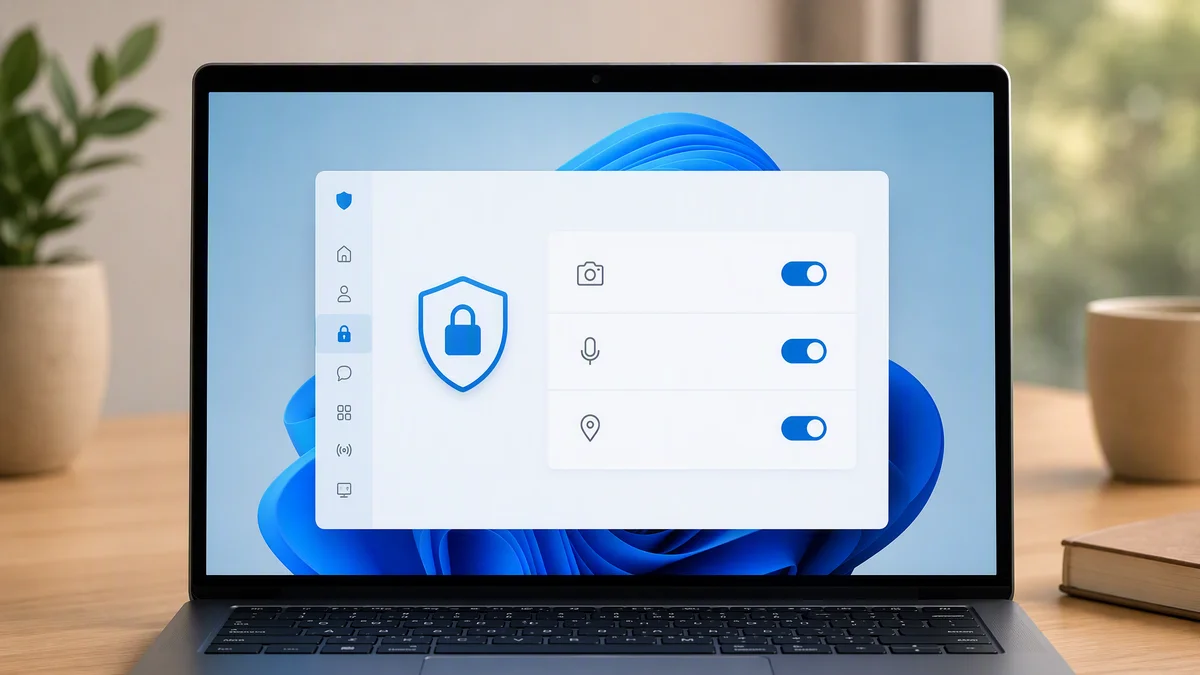
For years, Windows has maintained an odd two-tier privacy system: Microsoft Store apps got granular per-app permission controls, while traditional desktop programs, the .exe software everyone actually uses, got a single catch-all switch. An experimental Windows 11 Insider build finally ends that split, putting Discord, Chrome and every other desktop app under the same per-app privacy controls as their Store counterparts.
Key Takeaways
- Windows 11 Insider build 26340.9212 adds per-app microphone, camera and location toggles for desktop apps.
- Previously, desktop programs were governed by one all-or-nothing switch per sensor.
- Desktop apps now appear in the same settings dropdowns as Microsoft Store apps.
- The change is in experimental testing, with no confirmed public release date yet.
What was broken before
The old model made a distinction users never asked for. If you installed an app from the Microsoft Store, Windows let you control its access to your microphone, camera and location individually. But install the same kind of app as a classic desktop program, meaning virtually everything from browsers to meeting tools to games, and the granular control vanished. You got one master toggle per sensor: either every desktop app could potentially access your camera, or none could.
In practice that pushed users into bad trade-offs. Disable desktop camera access entirely and your video calls die with it. Leave it on, and every installed program carries theoretical access, with actual behavior governed only by each app’s own settings and honesty. For an operating system that positions itself as security-forward, it was a strange hole to leave open this long.
What the new build changes
Spotted by Windows Latest in experimental Insider build 26340.9212, the reworked Privacy and security settings remove the separate “Let desktop apps access your camera, microphone, location” toggles entirely. Instead, desktop programs now appear individually in the same per-app lists as Store apps, each with its own switch, complete with last-accessed timestamps. The permission model is unified: one list, one set of controls, no matter how the software arrived on your machine.
That timestamp detail matters more than it looks. Knowing not just that an app can access your microphone but when it last did turns privacy settings from a setup chore into an audit tool, the difference between configuring trust once and being able to verify it continuously.
Why this took so long
The charitable explanation is architectural. Store apps run in a managed container where Windows brokers every sensor call, making per-app permissions natural to enforce. Classic Win32 desktop apps talk to hardware far more directly, so inserting a permission layer means intercepting access at a much lower level without breaking three decades of software. Microsoft has been walking this tightrope for years, and this build is the first public sign the balancing act is nearly done.
How other platforms have handled this for years
The embarrassing context for Windows is that per-app sensor permissions have been solved elsewhere for over a decade. Android and iOS built their entire privacy models on per-app prompts and toggles, and macOS has asked users to approve camera and microphone access app by app since Catalina. Windows was the outlier, not because the problem was harder in principle, but because its enormous legacy software base made every change a compatibility risk. The new build suggests Microsoft has finally decided the privacy cost of the old model exceeds the engineering cost of fixing it.
The enterprise angle
For IT administrators, granular per-app controls change the compliance conversation too. A catch-all desktop toggle meant corporate policies were forced into blunt choices that users worked around. Per-app rules let organizations permit exactly the meeting and collaboration tools they approve while denying everything else, enforceable and auditable. Expect this feature to show up in enterprise management tooling shortly after it reaches stable builds.
What you should do when it ships
When the feature reaches stable builds, the audit is worth twenty minutes. Open the camera, microphone and location pages in Privacy and security settings and read the lists like a bank statement. Every entry should be software you recognize, installed deliberately, with a reason to touch that sensor. Meeting tools get camera and microphone. Browsers get them per-site. That game launcher from 2023 gets nothing. The new per-app model finally makes that hygiene possible for the whole system instead of half of it.
Privacy controls pair with security hygiene, and it has been a busy season for both: we recently covered how Chrome’s AI pipeline is compressing patch cycles, and the theme is the same across the industry. The window between “possible abuse” and “blocked by default” is finally closing.
The caveat that comes with testing builds
Experimental channel builds are exactly that: experiments. Features appear, evolve and occasionally vanish before reaching stable releases, and Microsoft has form for testing privacy improvements quietly before shipping them broadly. Treat this as a strong signal of direction rather than a promised ship date, and check the toggle pages again after your next feature update.
It is also worth noting what this signals about Microsoft’s current posture. Between this privacy rework, the ongoing File Explorer modernization and the performance push across the OS, the Windows team is clearly spending this development cycle on fundamentals rather than flashy features. Per-app sensor controls are exactly the kind of unglamorous, deeply requested fix that never makes a keynote but improves the daily reality of a billion users. More of this, please.
One more habit worth building alongside the audit: revisit these toggles after every major feature update. Windows has a long history of quietly resetting privacy preferences during big upgrades, and the per-app model only protects you if its settings survive the update pipeline intact. Five minutes of checking after each update is cheap insurance against a silent regression.
Insider build details and privacy documentation are published on the official Windows Blog.
The bottom line
Per-app sensor controls for desktop software should have shipped with Windows 11 on day one, but late beats never. Once this reaches stable builds, every Windows user gets the privacy model the platform always promised: one list, every app, your call on each. Audit day is coming. Make a habit of it.
Which apps would you revoke first? Tell the tech desk.

Alex Mercer is the managing editor of Tech News Xplore. A hardware journalist for over a decade, he has benchmarked more CPUs, GPUs and handhelds than he can count, and leads the publication's testing methodology and editorial standards.