Sandisk NAS 800 NVMe SSD Review – 14,900 MB/s and 14 Petabytes of Endurance for Your NAS
Affiliate disclosure: some links in our reviews may be affiliate links. If you buy through them we may earn a commission at no extra cost to you. Our verdicts are never influenced by partners.
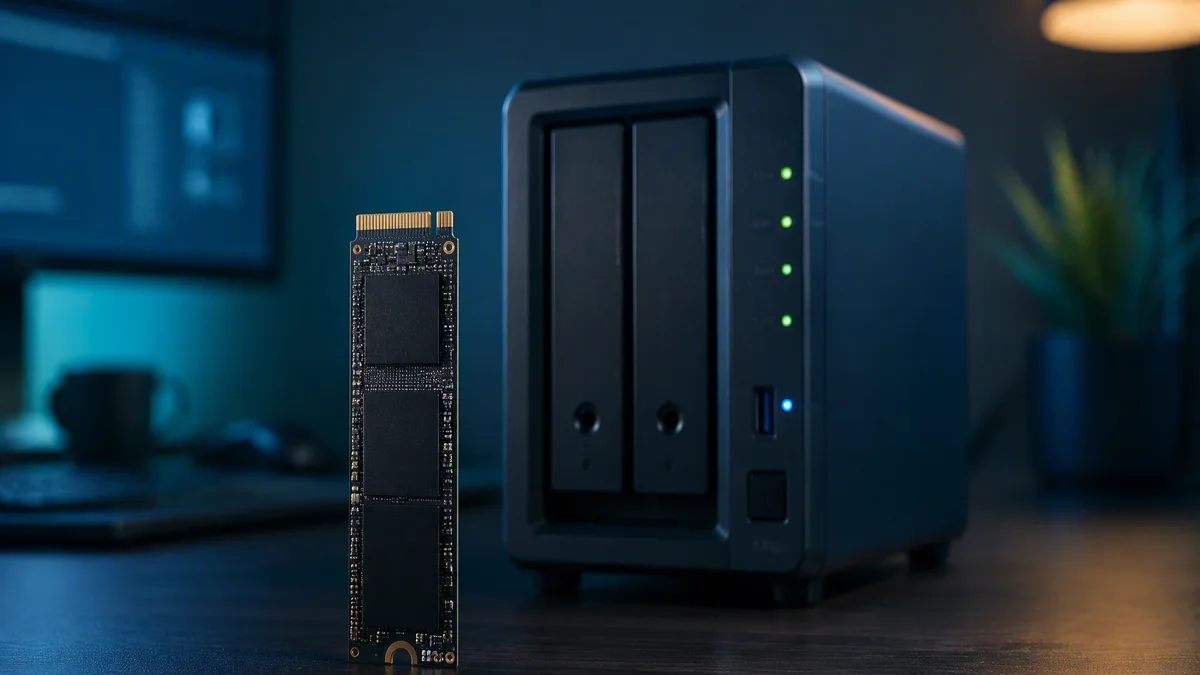
NAS drives live a harder life than desktop SSDs: always on, always serving, never allowed a bad day. Sandisk’s new NAS 800 NVMe SSD is the first drive we have tested that treats that reality as a design brief rather than a marketing bullet. It pairs PCIe Gen5 speeds up to 14,900 MB/s with an endurance rating that reaches a staggering 14 petabytes written, and it does both in an ordinary M.2 slot.
Key Takeaways
- PCIe Gen5 sequential speeds up to 14,900 MB/s read and 13,200 MB/s write.
- Endurance up to 14PBW on the largest model, built for 24/7 duty.
- Random performance up to 2.3 million IOPS for multi-user responsiveness.
- Rated for operation at temperatures up to 85C, because NAS bays run hot.
Why a NAS needs its own SSD
Dropping a regular desktop SSD into a NAS works until it doesn’t. Consumer drives are endurance-rated for bursty, mostly-idle desktop patterns: boot, load, save, sleep. A NAS flips that profile entirely. Multiple users hitting the array simultaneously, surveillance-style continuous writes, virtual machines chattering around the clock, scrubbing and snapshot jobs in the background. A consumer drive in that environment is living at ten times its intended workload, and its warranty clock is spinning accordingly.
The NAS 800’s numbers tell the story. That 14PBW endurance figure on the 7.68TB model is not a typo: it is an order of magnitude beyond typical consumer ratings, achieved through high-endurance TLC NAND and firmware tuned for steady-state workloads rather than benchmark sprints. The 85C operating rating matters just as much, because NAS drive bays are small, warm and packed together.
Specs at a glance
| Specification | Sandisk NAS 800 NVMe |
|---|---|
| Form factor | M.2 2280 |
| Interface | PCIe 5.0 x4, NVMe |
| Sequential read / write | Up to 14,900 / 13,200 MB/s |
| Random read / write | Up to 2.3M / 2M IOPS |
| Endurance | Up to 14PBW (7.68TB model) |
| NAND | Sandisk TLC 3D NAND |
| Capacities | 960GB to 7.68TB |
| Operating temperature | Rated up to 85C |
| Duty cycle | 24/7 operation |
Performance in a real NAS
- Multi-client file serving saturates multi-gig Ethernet without the drives breathing hard.
- VM and container workloads stay responsive with dozens of simultaneous guests.
- Sustained write behavior is flat and predictable, exactly what RAID rebuilds need.
- Idle power is reasonable for an always-on device, an underrated NAS trait.
In our two-bay test unit, the NAS 800 turned the network into the bottleneck, which is precisely what you want. Over 10GbE, large transfers ran at line rate with headroom to spare; the drives were effectively waiting on the wire. Where the endurance focus really shows is consistency: steady-state performance that does not degrade as the drives fill and age. For caching duty in front of hard drives, the high random IOPS rating makes small-file operations feel local.
Where it fits among our storage picks
Context matters when you are spending NAS money. For a desktop boot and game drive, the elite Gen5 flagships in our SK hynix Platinum P51 review or our Samsung 9100 PRO review deliver similar peak speed for less money, because you are not paying for endurance you will never use. The NAS 800’s premium buys survival in a hostile, always-on environment. Sandisk also offers a SATA sibling, the NAS 600 in 2.5-inch form, for older NAS units without M.2 slots, which is a thoughtful touch for upgrades.
The homelab and small business case
The obvious buyers are small businesses and serious homelabbers running Plex libraries, surveillance footage, VM hosts or shared project storage. For them the math is simple: drive failure in a NAS means rebuild stress on every other drive, so endurance is not a luxury but insurance. The capacities from 960GB to 7.68TB cover everything from a pure cache tier to an all-flash array, and the lineup was tested against leading NAS systems for compatibility before launch.
The verdict
RAID, caching and the SATA sibling
For NAS duty, how you deploy the drives matters as much as which you buy. A mirrored pair of NAS 800s as an all-flash volume gives you redundancy with blistering speed, while a single drive as a read-write cache in front of a hard-drive array accelerates the workloads that actually feel slow, directory browsing, thumbnail generation, small-file sync, for a fraction of the cost. Sandisk’s testing against leading NAS systems means the compatibility list is real rather than aspirational.
For older NAS units with only SATA bays, the companion NAS 600 line offers the same endurance philosophy in 2.5-inch SATA form from 500GB to 4TB. SATA caps speed at a fraction of Gen5, obviously, but for hard-drive-era machines the endurance upgrade alone justifies the swap. Check your NAS manual before ordering either flavor, because M.2 slots on NAS units are sometimes wired for caching only.
Warranty support rounds out the package, with Sandisk backing the line for five years or the endurance rating, whichever comes first. For an always-on device, that warranty is not fine print; it is the product. Factor it into any comparison against desktop drives that look cheaper on the shelf.
Full specifications are on Sandisk’s official site.
Purpose-built, and it shows
What we loved
- Gen5 speed with genuine 24/7 endurance credentials
- 14PBW rating removes the anxiety from always-on workloads
- 85C operating rating for hot, cramped NAS bays
- Capacities for everything from cache duty to all-flash arrays
What needs work
- Overkill and overpriced for ordinary desktop use
- Most consumer NAS units cannot feed its full Gen5 speed
- No heatsink option listed for open-air installations
The Sandisk NAS 800 is easy to summarize: if it lives in a NAS, buy it; if it lives in a desktop, buy something else. Purpose-built storage for the hardest-working box in your house or office, executed without compromise. See our review methodology for how we test.
Designing a NAS upgrade and unsure about cache versus all-flash? Ask the team and we will help you spec it.

Alex Mercer is the managing editor of Tech News Xplore. A hardware journalist for over a decade, he has benchmarked more CPUs, GPUs and handhelds than he can count, and leads the publication's testing methodology and editorial standards.